Always say how old the information is
Think of the date on a milk carton
A milk carton without a date is a gamble. Old milk and fresh milk look the same until you taste it. The date on the carton lets you decide before you pour.
Screens and AI assistants often show old information in the same confident style as fresh information. This is a quiet way of lying.
A small example
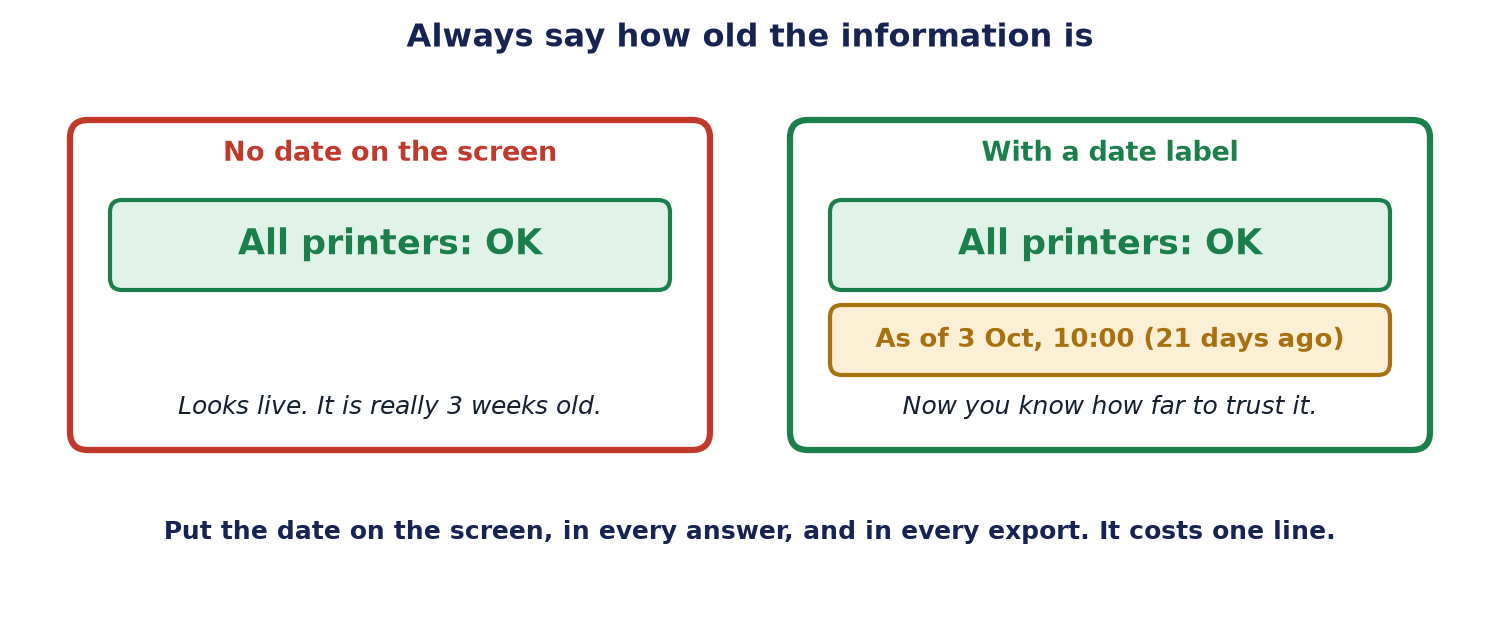
A screen says "All printers: OK", with a big green tick. Someone reads it and decides not to check the broken printer in Room 5. But the screen is a copy from three weeks ago. The printer broke last Tuesday. Nobody knew, because nothing on the screen said how old it was.
Label the information, not just the page
If any part of your system shows a saved copy (a snapshot), say so. Put the date:
- on the screen,
- in the AI's answer,
- and in anything you export or send.
A good label says both the time and how long ago: "As of 3 Oct, 10:00 (21 days ago)." It costs one line, and it saves a lot of arguments.
When the information is too old
Decide in advance how old is too old. Then make the system say so: "This information is 21 days old. Do you want me to refresh it?" Do not hide it, and do not guess.
A second habit: start by only looking
Start with a helper that can only look, never touch. Anything that could change a device or a record should be built switched off, and switched on only behind a person's approval. That is the same idea as in the article "Autonomy is earned": freedom comes one step at a time.
What to do
- Save the time when each piece of information was collected.
- Show the date and the age on screens, in answers and in exports.
- Decide how old is too old, and say so when it is.
- Start read-only. Add actions later, behind approval.
The limits of this advice
- Even a fresh label can be wrong if the clock or the source is wrong. Check the source too.
- Too many labels can clutter a screen. Put them where a decision is made.
- A date does not make old information right. It only lets people judge it.
Words explained
- Snapshot: a saved copy of information at one moment in time.
- Dashboard: a screen that shows the state of many things at once.
- Read-only: able to look, but not able to change anything.
- Approval: a yes from a person before something happens.
For engineers
This section has the exact details. Everything above is the simple version of it.
- Carry the timestamp. Store an as-of time with every data point, and pass it through APIs, answers and exports. Show both the absolute time and the relative age.
- Freshness rules. Define a staleness threshold per data type, and have the system say when it is exceeded and offer a refresh.
- Read-only first. Build write actions switched off, and enable them only behind an approval step.
- Where it fits. See human-in-the-loop (Chapter 13) and observability (Chapter 18).